Invoice Payment Terms That Get You Paid Faster (Net 7, Net 15, UPI QR)
Most late payments are not malice — they are friction. The client opened your invoice, did not immediately see how to pay or by when, and moved on to the next email. This guide covers the three highest-impact fixes: choosing payment terms that actually work, printing a UPI QR code on the invoice itself, and presenting bank details so the accounts team never has to email you back.
Payment terms, decoded
| Term | Meaning | Best for |
|---|---|---|
| Due on receipt | Payable immediately | Small amounts, first-time clients, digital deliverables |
| Net 7 | Due 7 days from invoice date | Freelance work, ongoing retainers |
| Net 15 | Due 15 days from invoice date | Regular B2B clients with an approval step |
| Net 30 | Due 30 days from invoice date | Larger companies with fixed payment cycles |
| 50% advance | Half before work starts, half on delivery | Projects with real upfront costs |
In the editor, pick a term and the due date fills itself from the issue date. The due date prints prominently on the A4 sheet — clients cannot claim they never saw it. Our honest advice: default to Net 7 unless a client's process forces longer. Studies of small-business invoicing consistently show shorter stated terms produce faster payment even when clients pay a few days "late".
Put the payment method ON the invoice
Every email exchange after the invoice ("could you share your account number?") adds days. The invoice itself should carry everything:
- Bank details — account name, number, IFSC, bank name. The editor has a dedicated Bank / payment details box that renders in the invoice footer, formatted and easy to read.
- UPI ID — type it once and it prints under the QR code.
- UPI QR code — generated automatically from your UPI ID. The client opens any UPI app, scans the code straight off the PDF or the printed sheet, and pays. No typing, no transcription errors.
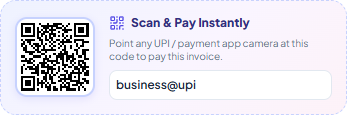
The QR sits in the payment section of every template, sized so a phone camera catches it from a printed page. For Indian clients this is the single biggest speed upgrade you can make — a payment that used to need a laptop and net-banking login now takes fifteen seconds on a phone.
Writing terms that hold up
Beyond the due date, three short lines prevent most disputes. Put them in the invoice's notes or policy section:
- Late fee policy. "Payments after the due date attract 1.5% monthly interest." Even if you never enforce it, it changes queue priority in the client's payables list.
- What the invoice covers. One sentence of scope stops "we thought revisions were included" from becoming a payment blocker.
- Guarantee / warranty / refund terms. The editor has a dedicated section for this that renders in the footer — state your policy once and it appears on every invoice.
The follow-up rhythm that works
When an invoice does go past due, escalate gently and consistently:
- Day 1 overdue: friendly WhatsApp message with the invoice number, amount, and share link. Usually this is all it takes.
- Day 7: email with the PDF re-attached and a specific ask: "Could you confirm the payment date?"
- Day 14: phone call. Voice moves invoices that text cannot.
- Day 30: pause new work. The politest sentence in freelancing: "I'd love to start the next phase once the outstanding invoice is cleared."
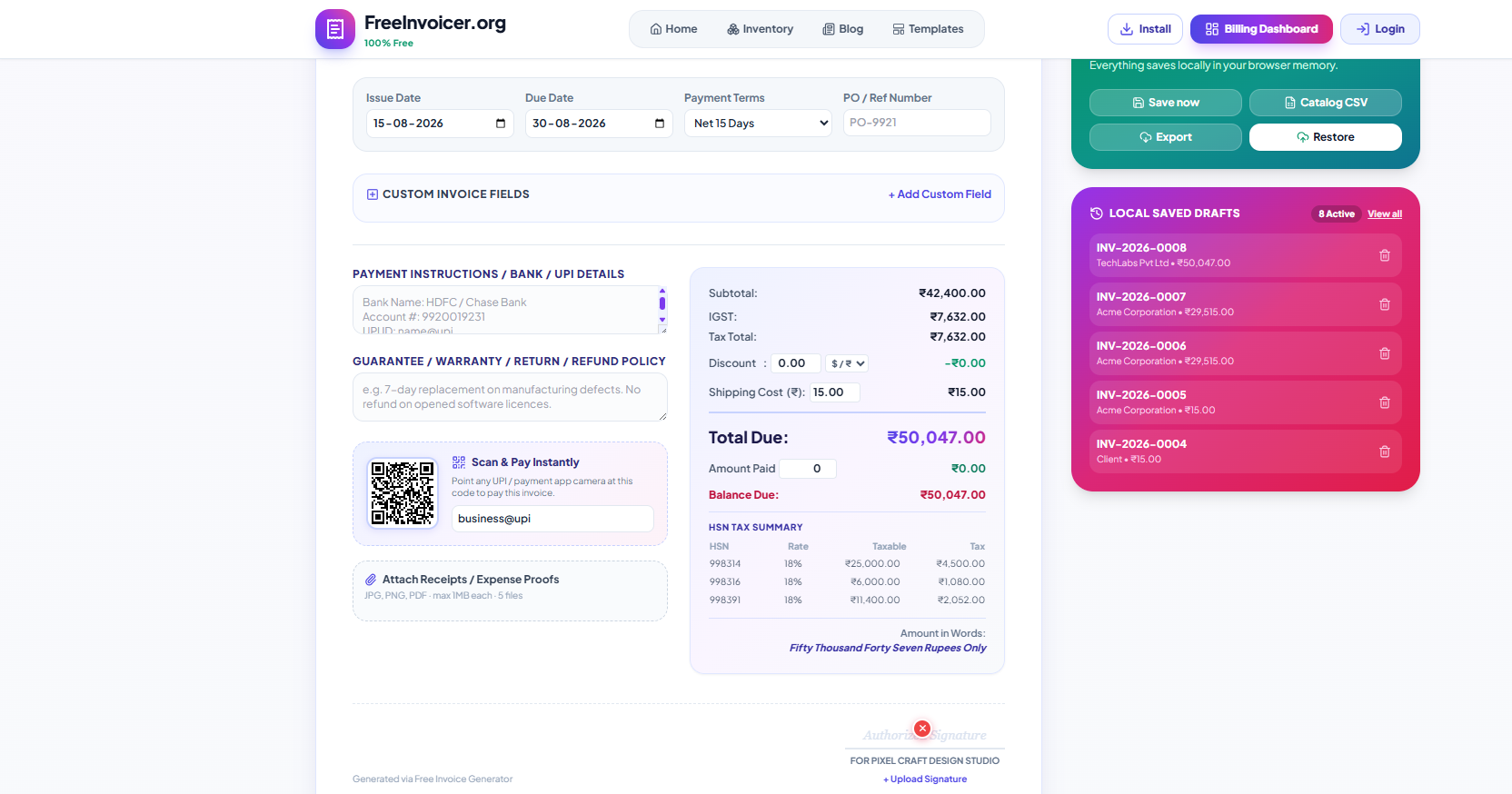
If the client pays part of the bill, record it — the amount paid and balance due fields keep the remaining amount visible on the document instead of buried in a chat thread.
Advance payments: the term nobody regrets
For project work, the strongest payment term is the one collected before you start. A 50% advance does three things at once: it filters out clients who were never going to pay well, it funds your upfront costs, and it converts the final invoice from "the full scary amount" into "the smaller second half". Record the advance in the editor's Amount Paid field the day it lands — the invoice (and its share link) then permanently shows the reduced balance due, so there is never a "but we already paid you" conversation. For long projects, milestone billing works the same way: three smaller invoices tied to deliverables collect faster and hurt less than one large one at the end.
Know your legal backstop (India: the MSME 45-day rule)
If you are a registered micro or small enterprise in India, the MSMED Act gives your payment terms real teeth: buyers must pay within the agreed period, which legally cannot exceed 45 days from acceptance of goods or services. Beyond that, compound interest applies at three times the RBI bank rate — whether or not your invoice mentioned it. You do not need to open with legal threats, and you probably never will. But knowing the backstop exists changes how confidently you write "Net 15" and how calmly you follow up on day 20. Udyam registration is free and takes minutes; for chronic-late-payer industries, it is worth having in your pocket.
Currency matters too
Billing international clients? The editor supports 45+ currencies with correct symbols and formatting — Indian comma grouping for INR (₹1,16,000), standard grouping for USD or EUR, and zero-decimal handling for JPY, KRW, and VND. The amount in words adjusts to the currency automatically. Pick the client's currency so their accounts team approves the exact number they will pay, with no mental conversion.
A realistic before / after
Before: invoice emailed as a bare PDF, terms say "payment expected soon", bank details "will share separately". Average collection: 24 days.
After: Net 7 printed with a real due date, UPI QR + bank details on the sheet, WhatsApp share with a public link, one polite reminder on day 8. Average collection: 6 days.
Same clients, same work — the only change is that paying became the easiest possible action.
Start with the next invoice, not a policy overhaul
You do not need to renegotiate terms with every existing client today. Apply the upgrades to the next invoice you send: pick Net 7, fill the bank details box, add your UPI ID so the QR prints, and send it with a share link. Then watch how fast that one gets paid compared to your usual. Payment behaviour is trained one invoice at a time — and clients adapt to clear, consistent terms far more readily than most freelancers expect.
Related guides: the freelancer invoice checklist for every required field, and how to create a GST invoice if you bill with Indian taxes.