The Freelancer Invoice Checklist: 12 Fields Clients Actually Check
Ask any accounts-payable person why freelancer invoices sit unpaid and the answer is rarely "no budget". It is usually "the invoice was missing something and went into the query pile". This freelancer invoice checklist lists the twelve fields that get an invoice approved on the first pass, explains why each one matters, and shows where each lives in the free invoice editor. Print it, pin it, or just build the habit — either way, stop losing weeks to avoidable bounce-backs.
The 12-point checklist
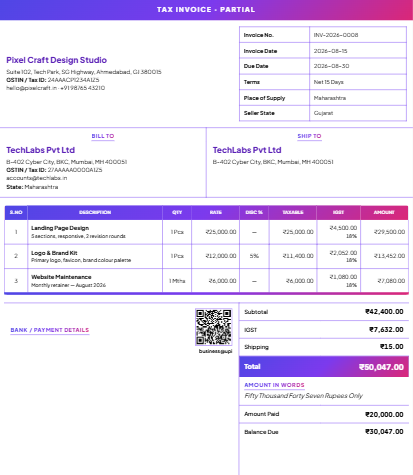
- Your legal name and address — the name on your bank account and tax registration, not just your brand name.
- Your tax ID — GSTIN in India, VAT number in the EU/UK, EIN/SSN context in the US. Registered buyers cannot process vendor invoices without it.
- A unique, sequential invoice number — like
INV-2026-0042. The editor auto-increments and locks used numbers, so you never send two invoices with the same number (a genuine compliance problem, not just an embarrassment). - Issue date and due date — pick a payment term (Net 7, Net 15, Due on receipt) and the due date fills itself. Details in the payment terms guide.
- Client's full details — legal name, address, and their GSTIN if registered. B2B clients need this for input tax credit.
- Itemized work — one line per deliverable with quantity, unit, and rate. "Services rendered — ₹40,000" is how invoices get queried; "Landing page design — 1 — ₹25,000" plus "Revisions (2 rounds) — ₹15,000" is how they get paid.
- Tax breakup shown separately — subtotal, then CGST/SGST or IGST (or VAT) as their own lines. The editor computes this from your GST settings automatically.
- Total, and total in words — auto-generated, currency-aware, paise included.
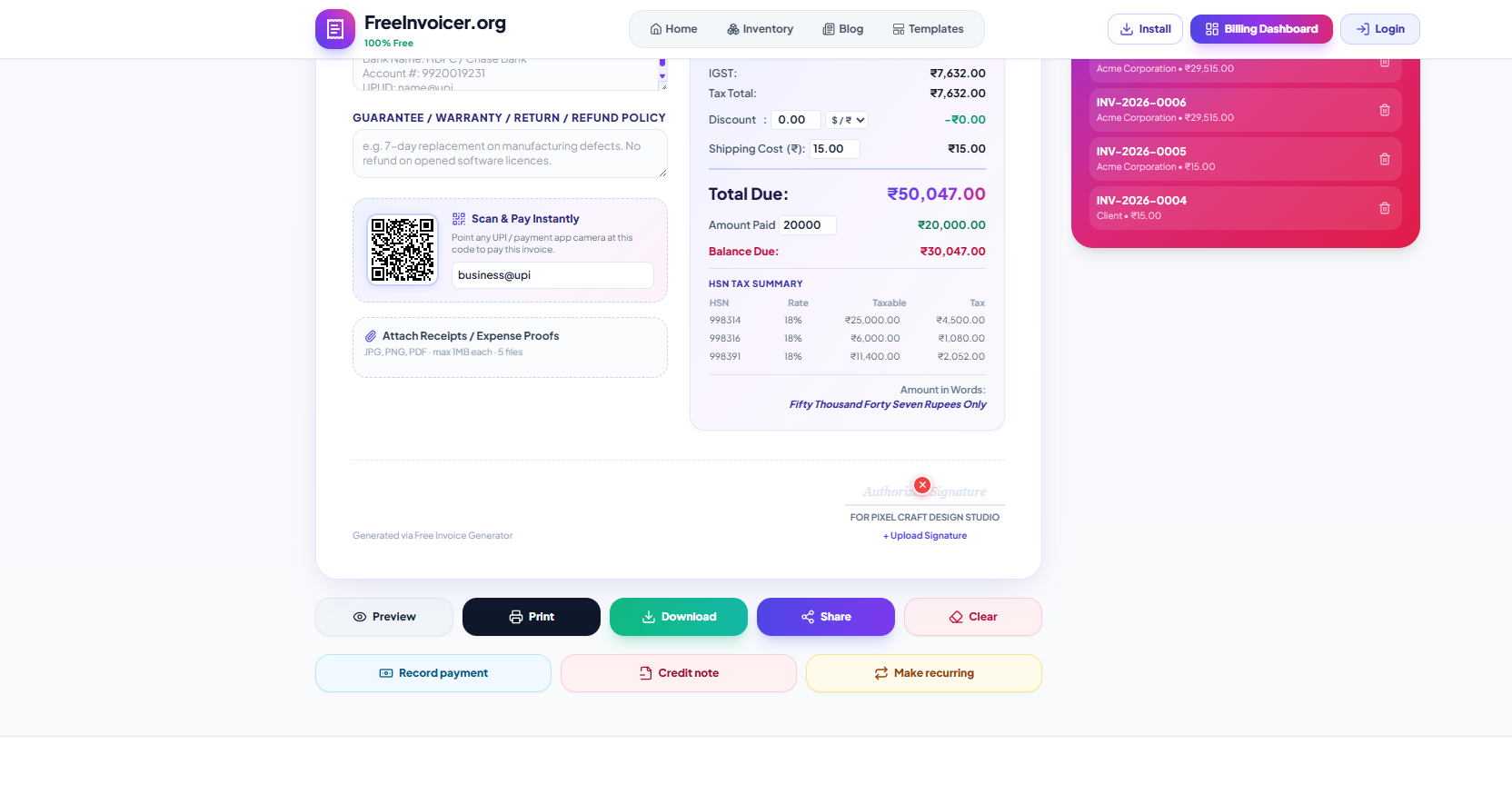
- How to pay — bank details and/or UPI ID with a scannable QR code, printed on the sheet itself.
- Purchase order number, if the client issued one — corporate invoices without the PO reference are dead on arrival. There is a dedicated PO field.
- Your logo and signature — not legally required, but invoices that look established get treated as established. Upload both once; they appear on every document.
- Policies — late fees, warranty/refund terms, and any notes, in the footer sections built for exactly this.
Make it look like a business, not a favour
Two minutes of branding changes how your invoice is treated:
- Logo — sits in the header on every template. A simple wordmark beats no logo.
- Signature — the signature block renders with a "For Your Company Name" line above it, the way established firms sign.
- Template choice — the classic black-and-white is the safest for corporate clients; the gradient and corporate-colour designs work well for studios and agencies. All eight are free and switching never touches your data.
Billing international clients
Freelancing rarely stays domestic. The editor handles the annoying parts of multi-currency invoicing:
| Concern | What happens |
|---|---|
| Currency symbol & code | Choose from 45+ currencies; the correct symbol renders everywhere, totals included |
| Number formatting | INR gets Indian grouping (₹1,16,000); USD/EUR get standard grouping ($116,000) |
| Zero-decimal currencies | JPY, KRW, VND render without decimals, as they should |
| Amount in words | Adjusts to the selected currency automatically |
Invoice US clients in dollars and Indian clients in rupees from the same tool, with each client seeing the exact number they will pay.
The workflow that makes invoice #2 take 30 seconds
The checklist looks long, but almost everything on it is a one-time setup:
- Your profile persists. Name, address, GSTIN, logo, signature, bank details, UPI — typed once, remembered on your device.
- Clients are saved. Bill the same client next month by picking them, not retyping them.
- Services live in Inventory. Save "Logo design — ₹15,000 — SAC 998391 — 18%" once; insert it on any future invoice with the code and rate intact. See the catalog guide.
- Numbering advances itself. Every new document takes the next free number.
Invoice #1 takes five minutes because you are entering your business. Invoice #50 takes thirty seconds because you are only entering what changed.
Why invoices actually get rejected
We asked around — freelancers, agency accountants, and one very patient accounts-payable manager — about what really sends an invoice to the query pile. The answers were boringly consistent:
| Rejection reason | How often | The fix on this checklist |
|---|---|---|
| Missing or wrong PO number | Very common in corporates | Item 10 — the dedicated PO field |
| No GSTIN / wrong GSTIN | Common for B2B | Items 2 and 5 |
| Vague line items | Common | Item 6 — one line per deliverable |
| Totals don't add up (manual math) | Surprisingly common with Word/Excel invoices | Automatic — the editor computes everything |
| No bank details / illegible details | Occasional | Item 9 — printed payment section with QR |
Notice that none of these are about the work. Invoices fail on logistics, and logistics are exactly what a good tool automates away.
Pick a numbering system and never think about it again
The format INV-2026-0042 works because each part earns its place: the prefix separates invoices from quotes and credit notes, the year makes financial-year filing painless, and the zero-padded counter sorts correctly in every file manager and spreadsheet on earth. The editor increments it for you and refuses to reuse an issued number. If you are migrating from another system mid-year, just set the counter above your last issued number and continue the series — a gap is fine; a duplicate is not.
Before you hit send — the 20-second scan
- Does the invoice number follow the last one you sent?
- Is the due date real (not today, unless you mean Due on receipt)?
- Do the line items match what was quoted?
- Is the client's GSTIN present if they are registered?
- Did you Preview? The preview is pixel-identical to the PDF and printout, so what you see is exactly what they get.
One more thing: keep copies you control
Every invoice you issue should exist somewhere you can reach in two years — for taxes, for disputes, and for the pleasant problem of a returning client asking "same as last time?". The app keeps your drafts and issued documents on your device automatically, the JSON backup captures everything in one file, and the CSV export gives your accountant the summary they actually want. Thirty seconds of backup habit a month buys you complete records forever.
An invoice is the last impression of your work. A complete, branded, easy-to-pay invoice quietly says: this person runs a real business — pay them like one.
Continue with: delivering invoices on WhatsApp, or handling partial payments when clients pay in instalments.